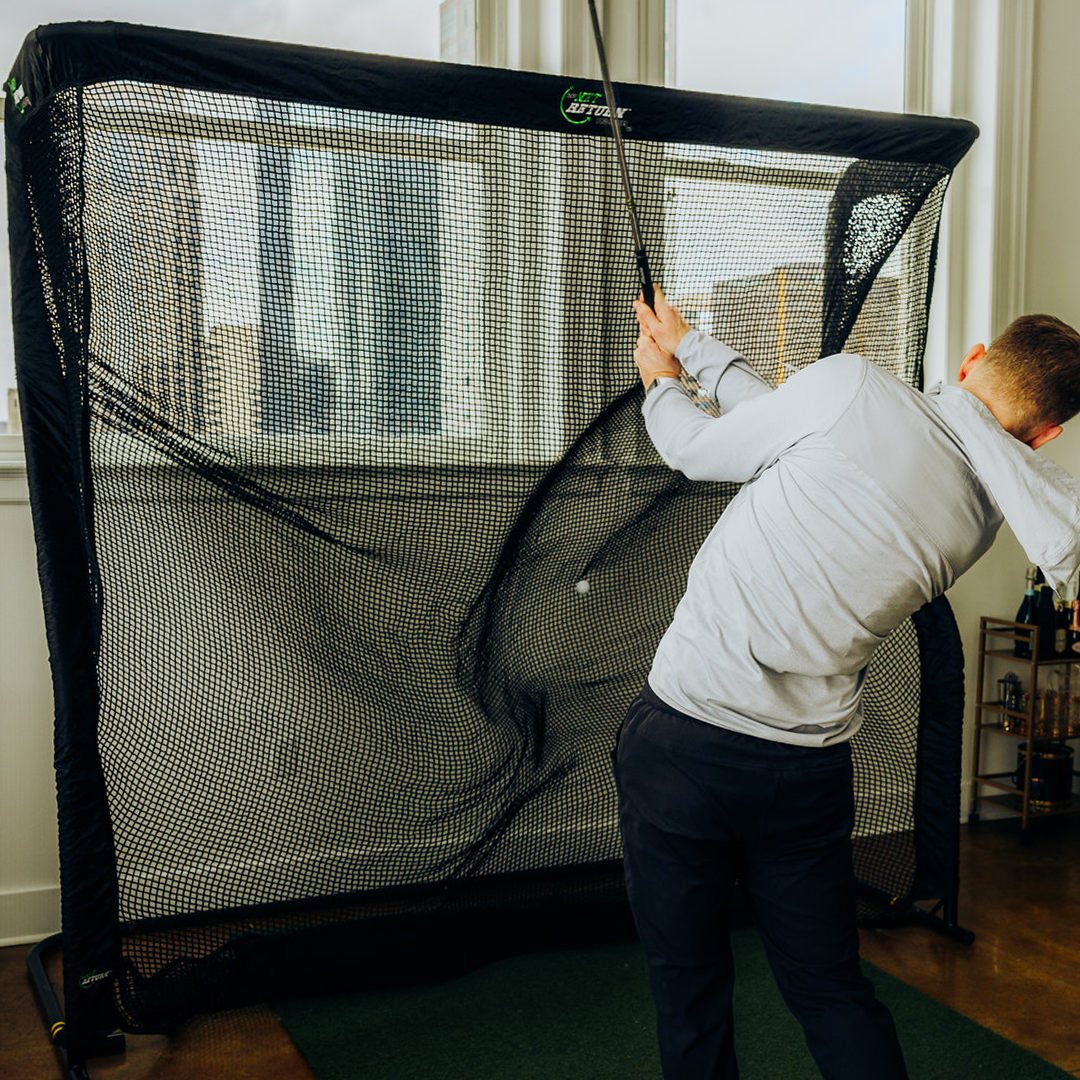


When you are having a golf practice session, the key is to balance purpose, feedback, and variety. Integrating golf simulators into your practice can significantly enhance this balance. The essential principles for effective golf practice are:
Intent: Ensure each shot has a specific target and intent.
Feedback: Track shot results against your targets. With golf simulators, you gain access to detailed feedback like carry distance, spin rate, and club path.
Challenge: Avoid mechanical repetition. Incorporate pressure-filled games and drills that emulate on-course conditions.
These foundations are amplified by launch monitors and golf simulators. Many golfers struggle to translate practice performance to the course. Here are tried-and-true methods to ensure your golf practice with simulators leads to on-course success.
Start with a Clear Golf Practice Plan
Begin by choosing the right technology to power your sessions. Selecting a launch monitor is a critical first step for effective golf practice. The Net Return provides premium technology with options across various price points, ideal for both home Golf simulator setups and professional use.
Let your on-course performance guide your plan. Identify the shots that cause hesitation or the statistical weaknesses in your game. Then, structure your time with intent:
-
Segment Your Session: Dedicate specific blocks to different clubs (e.g., 20 minutes on wedges, 20 minutes on mid-irons, 20 minutes on driver).
-
Set Measurable Goals: Use your launch monitor to define success, such as, “Land 8 out of 10 wedge shots within a 10-foot circle,” or “Achieve a consistent spin rate on my 7-iron.”
Warm Up with Purpose Using Data
Kick off your golf simulator sessions with a focused warm-up. Your launch monitor is the perfect tool to establish baseline data and prepare your mind and body.
Start by hitting a series of relaxed wedge shots at "awkward" yardages (e.g., 50, 75, 90 yards). Use the instant feedback on carry distance to dial in your feel. This purposeful activity effectively warms up your body without the strain of immediately swinging your driver at full speed.
Use Blocked Practice for Technical Improvement
For ingraining swing changes, blocked practice—repeating the same shot—is a proven method. To avoid mindless repetition, use your launch monitor to transform this into a data-rich technical drill.
Focus on key golf metrics like spin rate, launch angle, and club path. If you’re working with an instructor on a specific adjustment, like angle of attack, the immediate feedback from your golf simulator is invaluable.
Example Golf Drill: To improve driver performance, hit 10 drives while focusing on keeping your spin rate within an optimal window (e.g., 2,000–2,800 RPM). Combine this with impact feedback; using foot spray on the clubface will show you how strike location directly influences your launch monitor numbers.
Master On-Course Shots with Random Practice
Elevate your golf practice by simulating real playing conditions. This is where a golf simulator shines, allowing for dynamic random practice that directly improves course performance. Move beyond static range mode and constantly change your targets and club selection to build adaptive skills.
Utilize features like the “Game Time” drill on your golf launch monitor. Play simulated holes, make strategic decisions, and execute shots under realistic pressure, using the data to inform your club choice and strategy.
Vary your practice intensely: instead of 20 consecutive 7-irons, sequence a 9-iron to 120 yards, followed by a hybrid to 200 yards. This method, powered by golf simulator technology, trains your brain for the varied demands of an actual round.
Dial in Your Wedge Game with Precision Data
Wedge distance control is a scoring superpower. Use your golf launch monitor to map your carry distances for partial swings (e.g., 40, 60, 80 yards). This foundational golf practice builds confidence and feel.
Experiment with different swing lengths and trajectories to hit the same yardage. Your golf simulator provides instant feedback, helping you discover the most reliable feels. Test different lofts (60°, 56°, 52°) to see which club delivers the tightest dispersion and most consistent spin rate for each distance window. This data-driven approach reveals your optimal on-course wedges.
Apply Pressure with Targeted Practice Games
Modern golf launch monitor software includes built-in challenges that transform practice. Incorporate games like “Up-and-Down” or “Fairway Finder” to replicate competitive pressure. For example, attempt to land 10 out of 15 drives within a virtual fairway.
Use your golf simulator to keep score and track progress over time. This structured golf practice not only improves skill but also makes sessions more engaging and measurable.
Experiment to Expand Your Skill Set
Dedicate a portion of your golf practice sessions to creativity. Hit shots you might avoid on the course—intentional draws, fades, low stingers, and high balloons. Use your golf launch monitor to understand how these manipulations affect ball speed, spin rate, and curvature.
Test different clubs for the same scenario. Experiment with a hybrid versus a long iron, or practice knockdown shots. This exploration within your golf simulator environment makes your standard "stock" shot more reliable and builds complete ball-striking skill.
Analyze Feedback for Smart Adjustments
After each shot, actively review the data from your Golf launch monitor. Key golf metrics like club path, face angle, spin rate, and dispersion are your guideposts for adjustment.
Avoid chasing perfect numbers on every swing. Focus on functional ranges and overall trends in your data. This analytical approach to golf practice helps you understand your unique swing patterns and what "good" looks like for your game.
Integrate Your Full Pre-Shot Routine
For practice to transfer to the course, consistency is key. Use your golf simulator sessions to rehearse your complete pre-shot routine on every shot during random practice. This builds neurological familiarity, making your routine an automatic behavior under pressure.
Conclude with a Purposeful Cool Down
End every golf practice session on a positive note. Hit a few shots with a club you trust, focusing on a smooth, confident motion. This reinforces a sense of what you've worked on.
Effective golf practice is intentional, feedback-rich, and challenging. A golf launch monitor and simulator are powerful tools that amplify these principles, but their value is unlocked by your structured plan. By following these steps, you will make your practice more productive, enjoyable, and ultimately, more effective on the golf course.